Monday, June 1, 2020

How to Start an Online Store That Drives Sales

Wix is our top recommendation for building your online store. If you want to skip all the other stuff and jump straight into building, start your free trial:

• 14-day free trial
• Drag and drop site builder
• Integrated payment processing
• 500+ ecommerce templates
Try Wix for Free

When starting an online store, one thing matters more than anything else to get your first sale.

What’s that one thing?

Your marketing.

That’s right. How you choose to market your store completely determines how much money you’ll make. Get the marketing right and everything else falls into place. Get it wrong or neglect it, you’ll spend years on your store without selling a single item.

That’s why, as well as how to create an online store, we’ll be showing you how to market it.

There are six steps to marketing, building, and optimizing your online store:

  1. Pick your marketing strategy
  2. Find the right product niche
  3. Pick a name for your brand
  4. Create your online store
  5. Do a 60-day marketing burst
  6. Build your marketing flywheel

Read on to see how it’s done.

Step 1: Pick Your Marketing Strategy

Before you open your online store, you need to pick your marketing strategy. Don’t even look at templates for your storefront, or color palettes, or logo designs, or anything yet. (We’ll get to the how to setup an online store stuff soon — I promise.) First, pick your marketing strategy.

If there’s one step that will make or break the success of your online store it’s this one. It’s not a hard choice, but it is one that you need to make thoughtfully and in advance.

Most online stores use one of three marketing strategies:

  1. SEO
  2. Paid marketing
  3. Platform marketing

Let’s go through each.

SEO for Online Stores

This marketing strategy is pretty simple: find keywords for products that you want to offer, then get your site to rank in Google for those keywords.
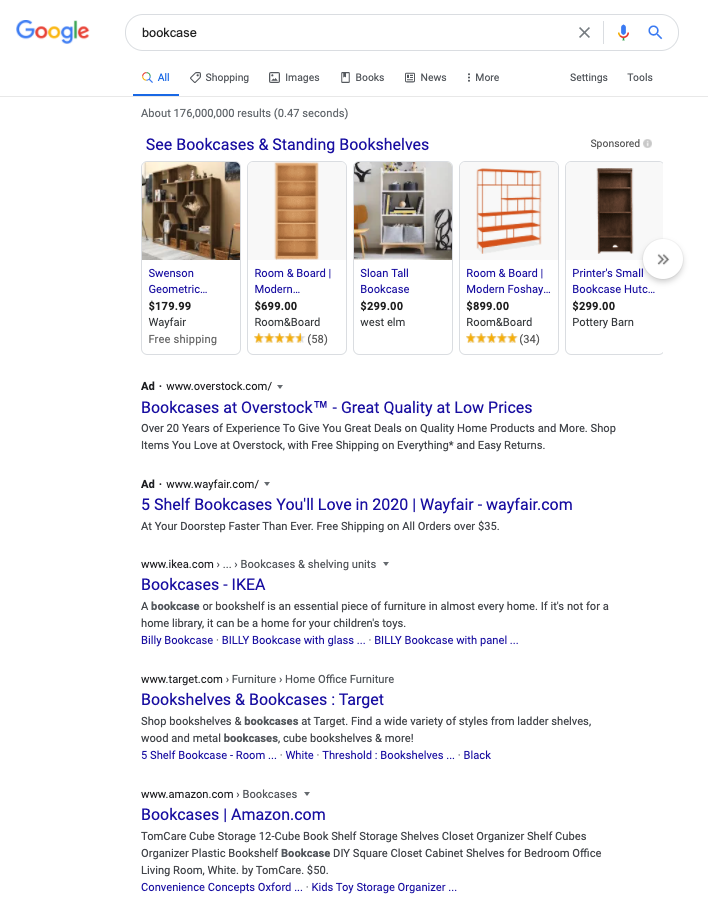
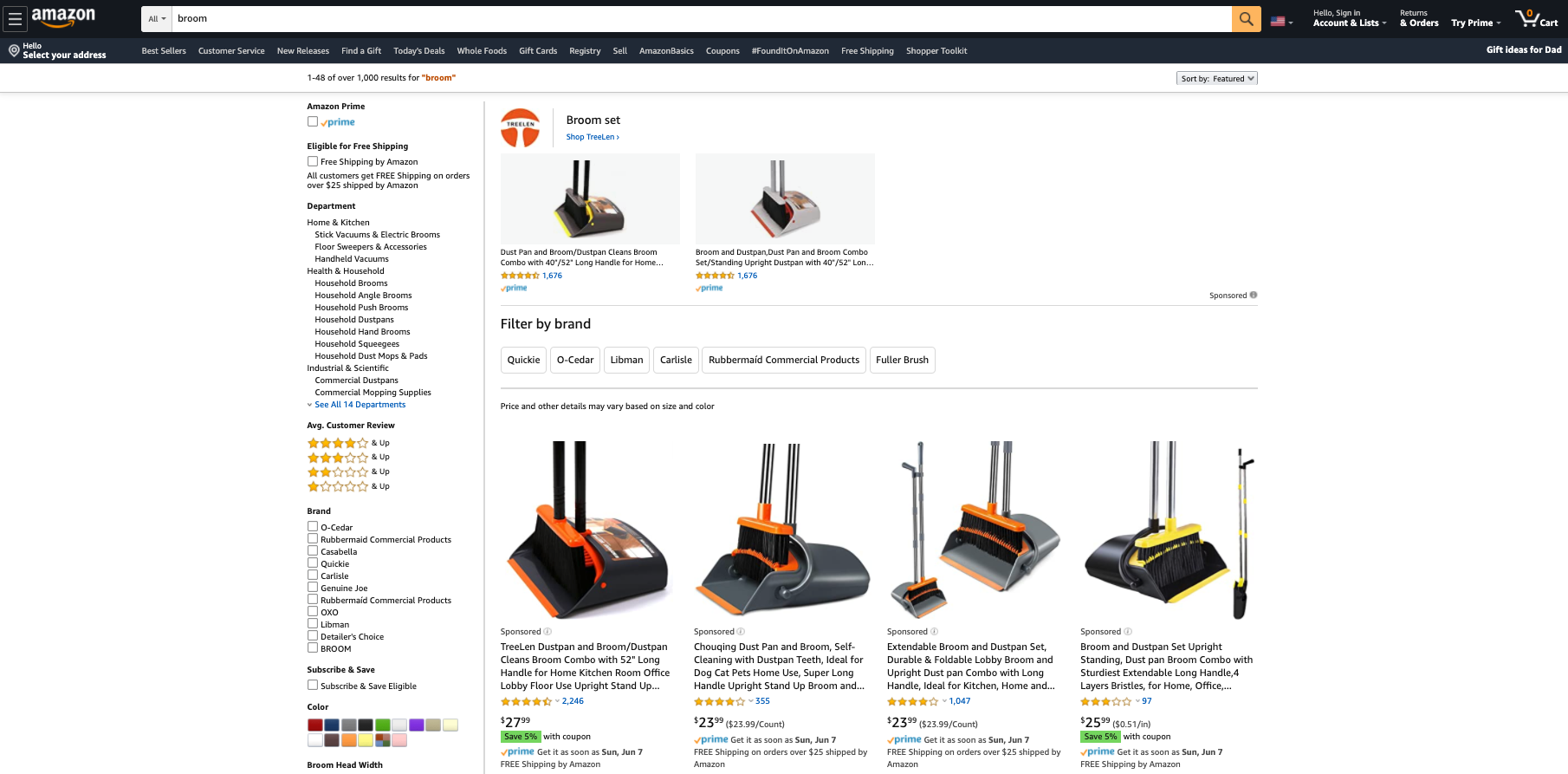
In this example, IKEA, Target, and Amazon are winning the organic spots (the ones underneath the carousel and the ads) SEO for the search term “bookcase.” If you get this strategy to work, you can make a lot of money with your online store.

SEO has a few benefits that are ideal for a business:

  • The traffic streams are very dependable, which means dependable revenue for your business.
  • Search traffic usually has the highest volume of traffic of any traffic source.
  • Even at scale, search traffic can be enormously profitable.

Dependable, high volume, and profitable. It’s everything you could want.

There is one major downside: SEO takes a lot of time and effort. Even if you’re pursuing a product category without any competitors, it can still take a good 3–6 months to see your site appear on the first or second page of search results for a keyword. The traffic volume will be pretty small until you get your page into the top 1–3 rankings on a keyword. If your category is even modestly competitive, it can take years of effort to get to that point.

If you go with SEO as the marketing strategy for your online store, you’ll focus on three things:

  1. Optimizing your product pages for product keywords.
  2. Building useful and engaging content for non-product keywords that are also in your category. This helps your product pages rank.
  3. Making your content so good that people will link to it as a resource.

When playing the SEO game, there are only two things that matter: content and links. So that’s where you’ll spend the bulk of your time.

Paid Marketing for Online Stores

Some online stores do exceptionally well with paid marketing. This includes sponsored posts on Instagram and Facebook, and paid results in Google search. Paid marketing involves ad placements you buy.

Instragram Paid Ecommerce Ad

But is paid marketing right for your business? My general rule of thumb: paid marketing is a great option if your product is the type of thing that could be featured in a mall.

Why?

The biggest paid marketing channels right now are Facebook and Instagram. Instagram in particular has gotten very popular for online stores in the last few years.

But think of the frame of mind that someone has while scrolling through a Facebook or Instagram feed. They’re relaxing for a few minutes, laughing at a few photos, and leaving quick messages for a few friends. They’re enjoying themselves. It’s a lot like how people shop at a mall. Sometimes, people are looking for a particular item, but a lot of people go to the mall to enjoy themselves. Malls have known this for a long time and stores have optimized around this browsing experience.

Products that sell effectively in a mall are also likely to do well with a paid ad on Facebook or Instagram. These products typically:

  • Consumer products. Business products have a much harder time on these channels.
  • Highly visual and eye-catching. This is why apparel companies do so well in malls and why apparel companies have been really aggressive on Instagram in the last few years.
  • Simple to understand. The offer needs to be understood within 3 seconds. If you have a more complicated sales process that requires more explanation, people will have scrolled past your ad long before you have a chance to make the sale.
  • An impulse friendly price point. If the price is too high that people need to carefully think through the decision, they’ll skip your ad and quickly forget it.

If your product meets all these criteria, you should seriously consider going the paid marketing route.

Google Ads (formerly AdWords) is one exception to this. Since you’re bidding on keywords within Google, you put your ad in front of people who are already actively searching for that type of product. As long as the keyword has enough search volume and the ad bids aren’t too competitive, it’ll work very nicely.

The biggest downside to paid marketing is that you’ll have to invest a bunch of money upfront before you know whether or not you can turn a profit. Many of us don’t have those thousands of dollars to invest without a reliable chance of getting it back.

Most paid campaigns don’t turn a profit initially; they usually take a lot of iteration and work before they start making a profit. Most professional paid marketers need 3–6 months before their campaigns become profitable. So be careful and make sure you don’t invest more than you can afford to lose here. If cash is too tight for you, choose one of the other marketing options.

Platform Marketing for Online Stores

This is a completely different direction than the two methods above.

Instead of creating your own store and using a type of marketing to acquire traffic, you’ll leverage one of the main ecommerce platforms:

  • Amazon
  • Etsy
  • eBay

It’s definitely possible to be successful at any of these three. We recommend that most folks go after Amazon. Amazon’s audience is much larger which gives you more upside and just about every product niche already exists on Amazon.

The main exception is if you’re doing a craft business of some kind, like making your own bookends to sell to people. In that case, Etsy is a better fit since the audience expects more craft-oriented products.

eBay is still great if you’re doing a bunch of buying and reselling. But if you’re producing the same types of items consistently, the potential on Amazon is much higher.

You treat whichever platform you choose as your marketing channel. First, you’ll create your store on that platform and list all your products. Second, you’ll optimize your store to the best of your ability so the platform wants to feature your products.

Optimizing your store usually involves focusing on two areas:

  • Targeting your product pages to specific terms searched for within the platform
  • Getting as many 5-star reviews on your products as possible

As you improve your search terms and reviews, more people will see your products on that platform, which will produce more sales for you.

How to Choose the Best Type of Online Store for You

Let’s recap what we’ve covered so far. There are three types of online stores you can open. These types are based on the marketing strategy you employ.

The three marketing channels for an online store are:

  1. SEO — You’ll focus on content and links. Requires: time and patience
  2. Paid marketing — You’ll pay for placements. Requires: 3–6 months, money upfront, and a highly visual, simple-to-understand consumer product with an impulse-friendly price point.
  3. Existing platforms like Amazon, Etsy, and eBay — You’ll focus on winning the search terms within that marketplace and stacking up 5-star reviews. Requires: Committing to understanding that platform.

I strongly recommend that you pick one of these and build your entire business around it. That’s right, just one.

“Why can’t we do more than one? Wouldn’t we want to use multiple marketing channels for our store? More marketing means more sales right?”

I’ve made this exact mistake so many times myself. After a decade of working in online marketing alongside some of the most well-respected marketers out there, I’ve noticed one overwhelming trend: folks that are good at one type of marketing are generally pretty bad at the others.

Why would this be?

A couple of reasons why it’s hard to be good at more than one kind of marketing:

  • Every marketing channel is completely unique. While some marketing principles apply across all channels, you’ll have to learn all the tactics from the ground up. Constantly trying to learn new channels really slows you down.
  • Online marketing channels constantly change. What works right now won’t work in 12 months. Even though I’ve spent a decade doing SEO, I still feel like I’m relearning it every year. If you’re focused on a single marketing channel, you’ll have a much easier time keeping up.
  • Online marketing channels are power laws. That means the majority of the profits go to a few big players — everyone else fights for scraps. If you’re not one of the winners, you won’t be making much.

If you stick with one marketing channel, you’ll get through the learning curve a lot faster. The faster you unlock your marketing channel, the sooner you’ll be making real money with your online store.

OK, step one is done. It was a long one, but it’s important that you spend time on it — it’s the very foundation of every other choice you’ll make in the process of setting up your online store.

Step 2: Find the Right Product Niche for Your Online Store

After choosing your marketing strategy, picking your product niche is the most important decision that you’ll make. Slow down and take your time to do some genuine research here.

A huge mistake that I’ve made in the past was jumping into hobby categories. Yes, being personally interested in the category really helps with building the business. But it’s also a common trap for picking a category that won’t support a thriving business. If there isn’t much demand in my niche, it doesn’t matter how great of a job I do, I’m doomed to fail from the beginning.

There are a few things I look for in a good product category for an online store.

First, avoid picking a category that’s too unique.

A common best practice in marketing is to differentiate yourself. And this is powerful advice — it’s a huge advantage when you have it.

It’s also tricky to find a genuine way to differentiate yourself that the market is willing to pay for. There are countless ways to differentiate any given product, but only 1–2 actually matter.

Does the top-rated toothbrush holder on Amazon need to do something wacky and unique? Not at all. It needs to be simple, easy to use, reliable, affordable, and have a ton of reviews on Amazon. That’s it.

Instead of trying to differentiate yourself from every other product in your category, find a category with competitors that aren’t dominating their marketing channel. Are the Amazon reviews low for all the top products? Are the SEO results of low quality? Are there no companies putting serious ad dollars behind a product? If the answer is yes, there’s an opportunity for you to out-compete them with your marketing.

A moderate price is also key.

Avoiding product categories with a low price makes a lot of sense. After all, if you only earn $1 in profit for each sale, you’ll have to sell 100,000 products every year to support yourself. After taxes and overhead, that’ll give you about $50–60K per year to live on.

Selling 100,000 of anything is a lot of work. No easy task.

Now let’s assume that you’re selling something for $80 and making $40 in profit on each sale. To make $100,000 per year, you’ll only need to sell 2,500 items. That’s much more manageable.

However, you also want to avoid selling something with a price that’s too high. As pricing changes, so does buying behavior. Prospects demand more proof. They may even demand a completely different buying process. How many people buy cars without test driving them at a dealership? Most don’t. They want to see the car and talk to a real person before making a purchase that big. Cars require a lot of extra work and sales skills to sell effectively because of their higher price point.

We recommend finding a product that you can sell between $50 and $100 dollars. It’s high enough that sales will add up quickly for you. It’s also low enough that the buying process will be straightforward.

Lastly, make sure there’s demand.

You can usually tell if there’s demand by doing some category research on your marketing channel. For SEO, Google Ads (formerly AdWords) has a Keyword Planner that tells you how many times something is searched in Google every month. If the keyword for your product gets less than 1,000 searches per month, it’s probably too small to build a business on.

Same thing with Amazon. If you have trouble finding products in your category with more than 100 reviews, it’s probably too small.

These days, I’d much rather pick a category that I have zero experience in but has genuine demand. That’s much better than realizing that a passion category of mine has zero demand later on.

Step 3: Pick a Name for Your Brand

The bad news: everyone hates this step.

Trying to find a good name that’s not already taken gets really annoying. The websites are taken, the best names have been trademarked, and you’ll feel like you’re hitting dead-end after dead-end.

Good names are tricky to find.

Whenever I look for a new name, I feel a temptation to cut corners. After several full days of brainstorming names and hitting dead-ends, all I want to do is pick a less-than-ideal name just so I can move on to the next step.

I have to tell myself that it’s worth the effort to keep looking. It’ll pay off if I keep going and it always does.

Here’s the naming checklist I use:

  • Easy to spell. I never want any friction when people are trying to find my site.
  • 3 words or fewer. I like to keep it at short as possible so it’s easier to remember. 1 or 2 words is ideal, 3 is still good.
  • Pass the Bar Test. I should be able to say the name in a noisy bar without repeating it. That’s a great sign that it’s easy to understand. This is huge for word-of-mouth marketing later.
  • Can get the .com domain. Every online story needs a .com. It’s become too much of a standard. Some folks use weird domains like company.online or company.io. In my opinion, this causes problems later because whoever owns company.com will know how valuable it is once you try to buy it. I either buy the domain early or find one that’s instantly available.
  • Relevant to your category. Make sure the name relates to your product category in some way.
  • No trademark conflicts. Any corporate law firm can do a quick check for you on this. Since legal time is expensive, find 3–5 name options that check all the above items. Then have an attorney check for the trademarks all at the same time. It’s rare to not have at least one of them work.

We have an in-depth guide on how to pick and buy a domain name here.

Once you have your name picked, grab the domain using your domain registrar. Or if you’re buying the domain from someone, get it transferred into the domain registrar that you want to use for the long term.

Step 4: Open Your Online Store

If you’re pursuing an SEO or paid marketing strategy, this is a super important step. The quality of your site has a huge impact on how much of your traffic will turn into buyers.

First, we strongly recommend Wix for building your site.

• 14-day free trial
• Drag and drop site builder
• Integrated payment processing
• 500+ ecommerce templates
Try Wix for Free

There are other tools out there like Shopify and Bigcommerce — none of them compare to Wix. It’s super easy to use, has all the features that you’d ever want, and a very reasonable price.

The one exception to this is if you’ve already built out a blog with a large audience and want to add a small online store to it in order to sell a few items. In this case, adding WooCommerce to your WordPress is a good option.

Otherwise, always go with Wix.

We’ve put together a detailed guide on creating an ecommerce website here.

And if you’ve picked one of the platforms like Amazon, treat your company and product pages with great care. Make the copy as compelling as possible. Use every feature that they give you. Get the highest quality photos that you can. Do everything. Really make your pages stand out.

Step 5: Do a 60-day Marketing Burst

All of our stores start from scratch.

When we’re just getting started, any bit of momentum goes a long way.

That first review, that first page that ranks in Google, that first purchase using a paid ad — it’s life-changing.

At this stage of the process, I never worry about systems, scalability, or trying to do things in an efficient way. I’m looking for momentum any way that I can get it, no matter how much outreach or personal work I have to do.

The goal at this stage is to put in a huge burst of personal effort and get some momentum. Even if you have to do things that you know aren’t sustainable over the long term.

Here are a few examples:

  • I might tap my personal network to see if anyone is willing to do an interview with me and publish it on their own site. This will help me get a few initial links to my site.
  • I could ask personal friends and relatives to leave the first couple of Amazon reviews.
  • I’d try spending some of my own cash on paid ads to test if the offer produces revenue at all.

I’m looking for any marketing idea that involves my time but also allows me to quickly get my first few wins.

At this stage, do some research on your marketing channel and come up with a list of 50 ideas that you could personally do yourself. Then prioritize them and plan a 60-day Marketing Burst. Ship as many of those ideas that you can within those 60 days. Work long hours, drink too much coffee, and really push yourself during that period.

By the end of the 60-day Marketing Burst, some of your marketing ideas will have worked and you’ll have your first couple of sales. You’ll also have a small but steady stream of sales coming in because you’ve focused on a single marketing channel. That steady stream is enough to start building your marketing flywheel on.

Step 6: Build Your Marketing Flywheel

Once you have some initial momentum, it’s time to start building the marketing machine that will grow your business around the clock without you having to personally accomplish every task.

In the early days on Amazon, you’ll need to personally ask for a lot of your first product reviews. But that’s not sustainable.

Instead, look for marketing tactics that help create Amazon reviews for you without you asking for them.

Here’s an example.

A popular tactic on Amazon is to ask customers to leave a review. Some will even promise a discount code on the next purchase if a review is published.

You can automate that tactic. Have an assistant send the same templated email to every new customer, asking for a review and promising a discount code on their next order. All the platforms allow you to message customers personally through the platform. So while you can’t email blast all your customers at once, you can have an assistant send messages out one-by-one every week on your behalf. That’s a repeatable flywheel that doesn’t take up your time.

A quick side note on this review tactic: Before you try something like this, make sure to check the guidelines and policies of the platform you’re on. There are always rules about these sorts of things and every platform is slightly different. Be careful to not push things too far, putting your store in danger of getting removed entirely.

Look for as many of these repeatable marketing flywheels as you can.

Instead of creating content yourself, can you pay someone for content? If you did the keyword research, made a list of requirements that you want on each piece of content, and hired someone else to write the post itself, you could create a lot more content to help you win with an SEO marketing strategy. That’s a flywheel.

Instead of optimizing your paid ads yourself, can you delegate that? If your conversion rates are consistently improving and your cost to acquire a customer is going down, that lets you buy more customers with the same amount of capital. That accelerates your business without your personal effort. Another flywheel.

Focus on your core marketing channel and then build a marketing flywheel that will keep your online store growing without any effort from you. This is the key to opening an online store, generating sales quickly, and accelerating its growth.

So what are you waiting for?

Start your free trial with Wix today and start your online store in just minutes. Then follow the rest of my tips above to get an edge on the competition.

• 14-day free trial
• Drag and drop site builder
• Integrated payment processing
• 500+ ecommerce templates
Try Wix for Free


from Quick Sprout https://ift.tt/2LgZlbe
via IFTTT

How to Make Money Blogging in 2020

I have a major disclaimer before we begin.

A good part of my career involved working for some of the folks on this list.

In fact, I was personally responsible for setting annual revenue goals and hitting those goals while I was the Senior Director of Growth and Product at I Will Teach You To Be Rich. In that case, specifically, I’m extremely familiar with revenue totals and what drove that revenue.

Not to mention the affiliate commissions that were paid out to some of the people on this list, numbers that were shared in confidence after a few too many drinks, and second-hand rumors that I picked up along the way.

Unfortunately, I’ve got sad news.

I’m not going to share any of that insider knowledge. Sorry.

Some folks don’t mind publishing their revenue numbers but others keep it extremely private. If I shared that kind of info on how their blogs make money, I’d shatter the trust they placed in me. I take that trust very seriously.

For this post, I’m only going to be sharing revenue numbers that have been shared publicly.

Now here’s what I can do for you.

With the background that I have in this space, there are some common rules of thumb for figuring out revenue. They’re not perfect rules but they do tend to get the right number of digits. And after a while, you get a general sense of people’s revenue based on the size of their audience.

For most folks on this list, I’ll give a guess based on their public audience size and any hints that they’ve released publicly about their revenue. I’ll clearly label at is as a guess and you should take it with a grain of salt.

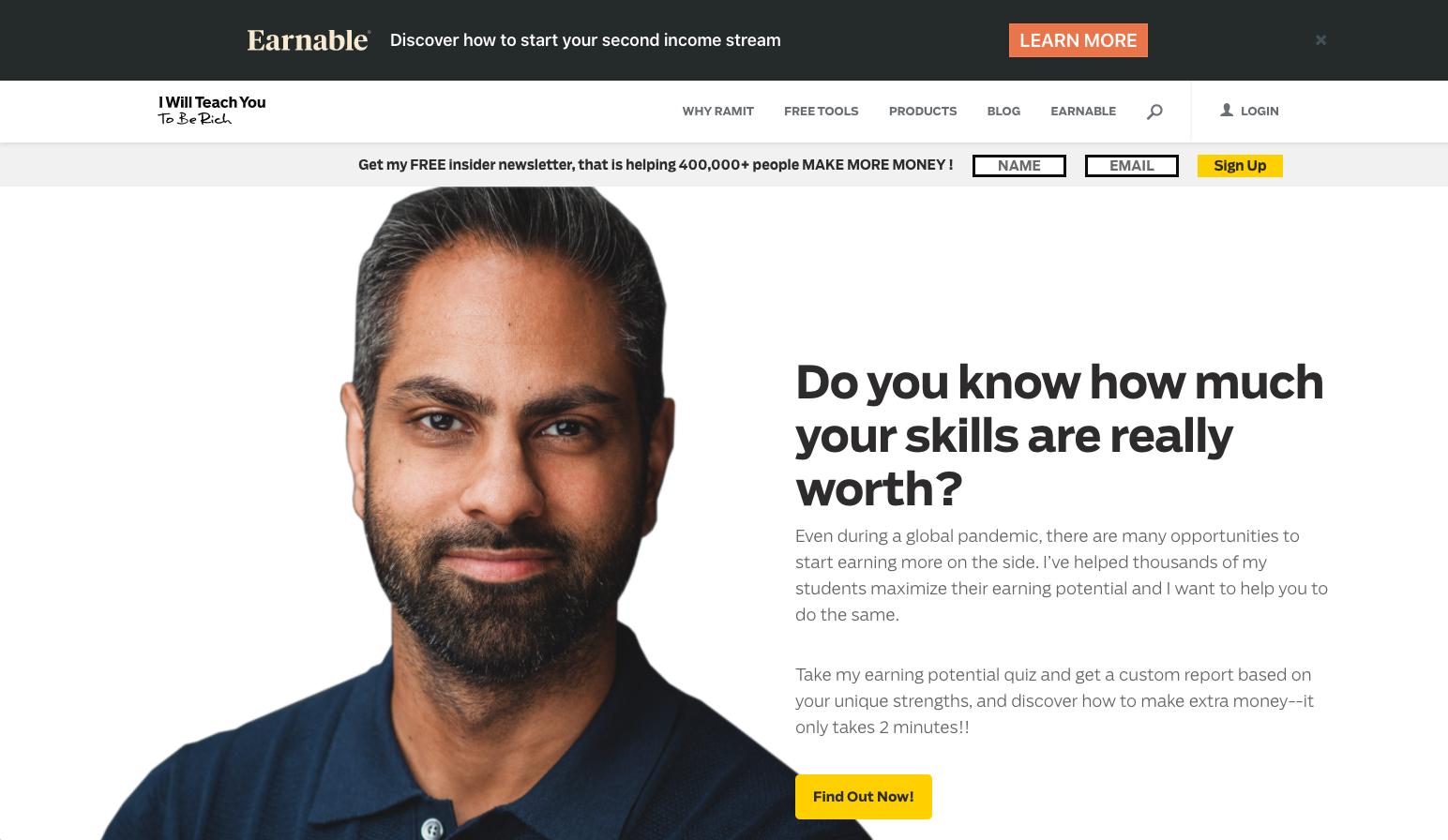
Ramit Sethi — I Will Teach You To Be Rich

Revenue = Can’t tell you

If you poke around the site a bit, it’s pretty obvious that the blog makes most of its money from infoproducts.

Ramit is absolutely at the top of his game when it comes to infoproducts and I consider this site one of the best to learn from if you’re considering monetizing your own blog with infoproducts. Make sure to sign up for his email list — you’ll start getting the launch funnels and you’ll be able to see how it all works.

There are also a few products available for purchase from the products page. That’s a great source for inspiration to see what an amazing infoproduct sales page looks like.

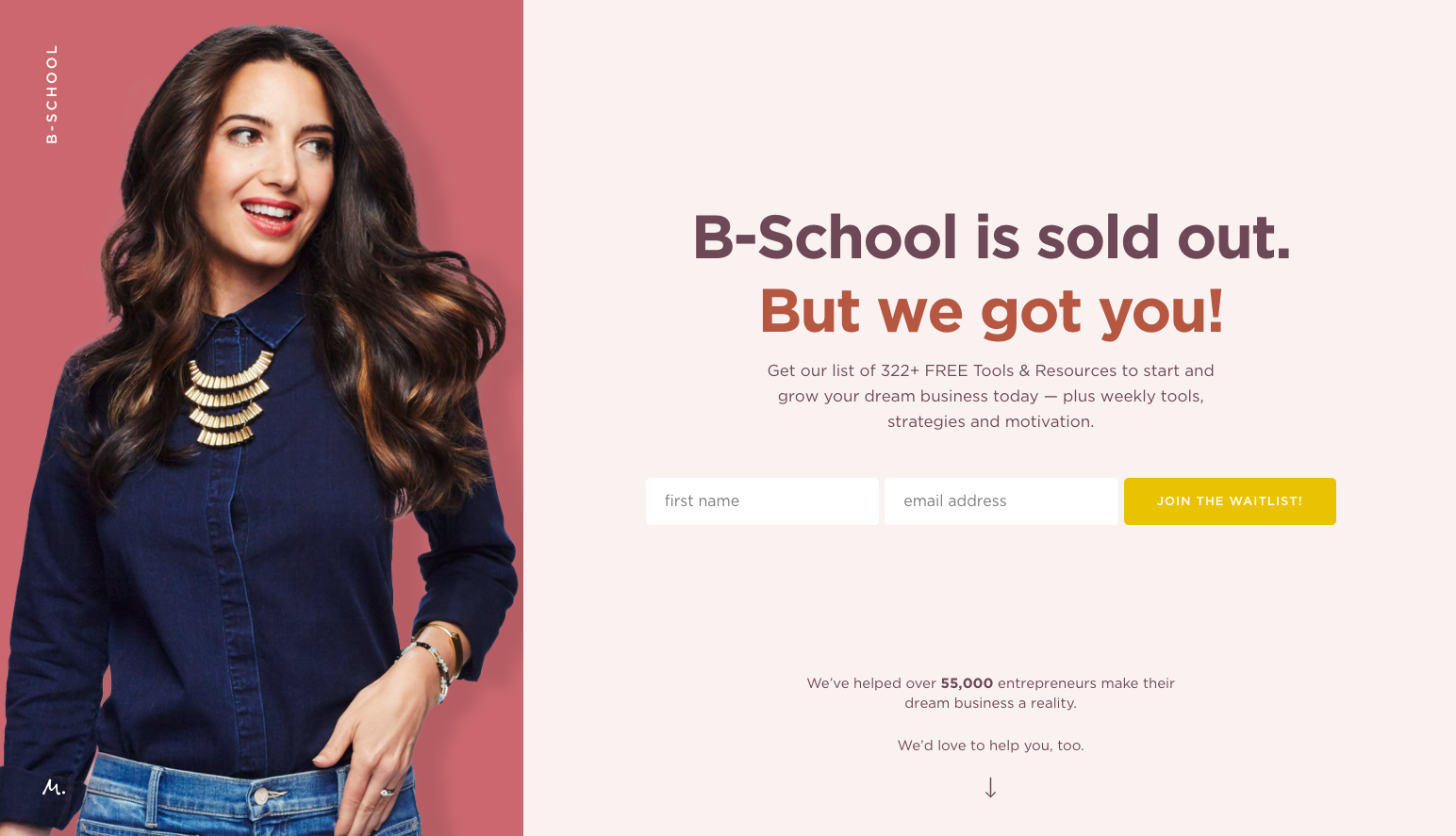
Marie Forleo — marieforleo.com

Revenue = Roughly several million per year

Marie has been blogging for a while now. She also put in a lot of work into her YouTube channel.

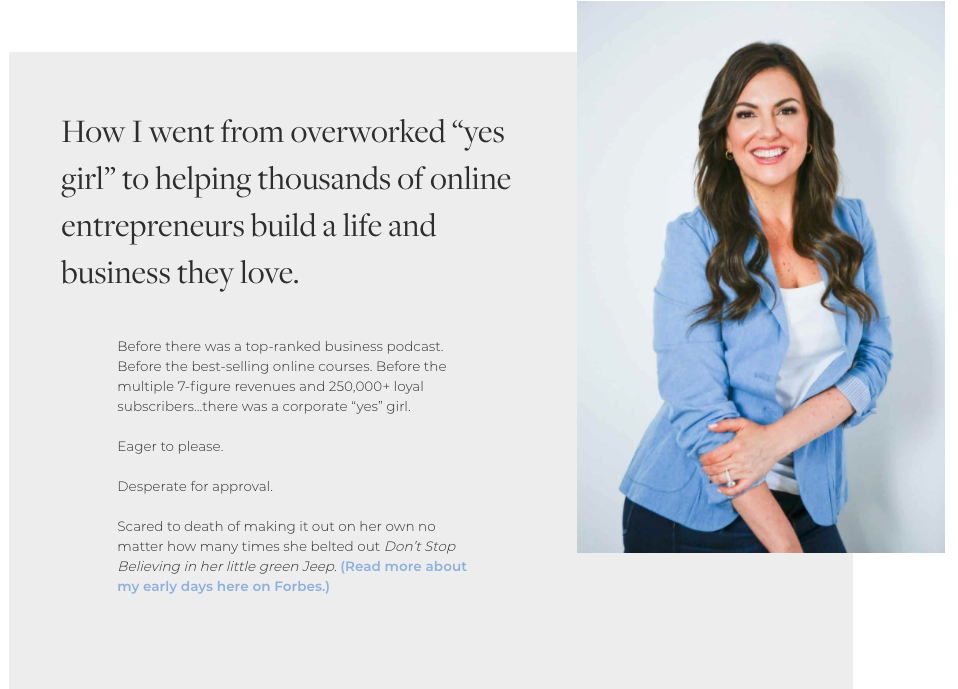
He content has a great reputation and her copy is world-class. I assume most of her revenue comes from infoproducts, particularly her flagship program B-School, which is sold out every time I check on it.

She’s an amazing person to study if you want to learn how to produce high-quality positive content. She’s also brilliant at balancing valuable content with going for the sale in an authentic way.

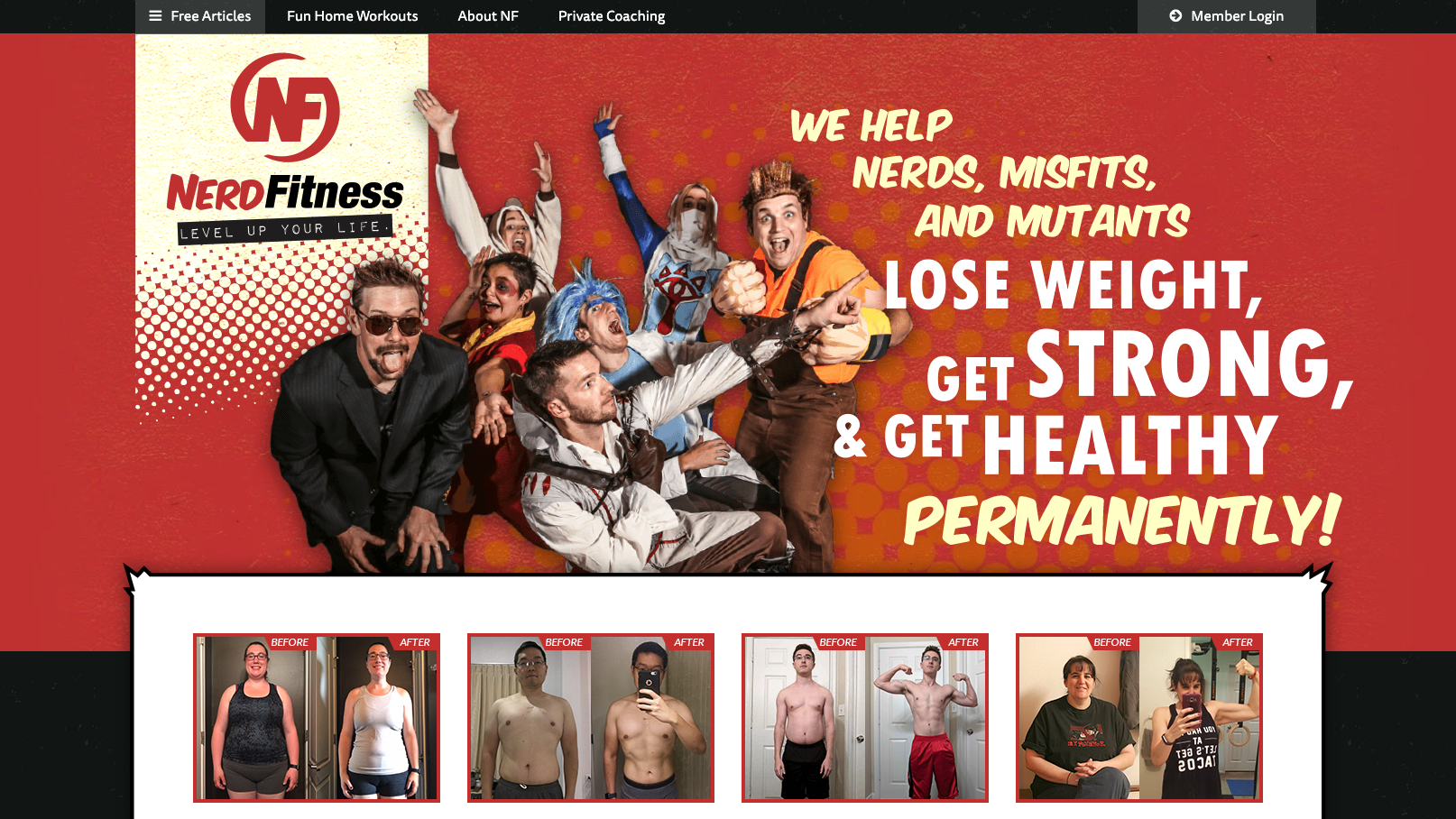
Steve Kamb — Nerd Fitness

Revenue = Over $1 million per year

According to this post, Steve’s doing over seven figures with his business. It’s a mix of infoproducts, coaching, and bootcamps. He also wrote a book called Level Up Your Life.

What I love most about Steve’s business is how he’s chosen a specific segment of the market and differentiated himself from other fitness blogs. The fitness space is crazy competitive but by branding his entire business around fitness for nerds, he clearly separates himself from that competition. Even in the most competitive categories, there are still opportunities to target a niche with your blog and make real money with it.

Amy Porterfield — amyporterfield.com

Revenue = At least $2–3 million per year, maybe more

Amy’s About page states that she’s built a multi-million dollar business, something that I absolutely believe based on her audience size.

I’m assuming that the vast majority of her revenue is from her infoproducts, but it looks like she does some affiliate promotion too. Her affiliate page is pretty classy and well done. It’s a great example of how to promote products in an authentic and non-pushy way.

Jon Morrow — Smart Blogger

Revenue = Over $1.2 million per year

In this post, Jon states that he’s doing over $100K per month in affiliate revenue which is pretty impressive.

He also has several of infoproducts available for purchase on his site. I bet these do about $30–50K per year on their own. I’m not sure what Jon’s email funnels look like but if he’s pushing launch funnels aggressively, he could easily have another few million in revenue from infoproducts on top of his affiliate revenue.

Darren Rowse — Problogger

Revenue = My guess is about $10 million per year

Problogger has been around since 2004. That’s an eternity in online marketing. It’s one of the original “how to blog” blogs. Darren also owns Digital Photography School which has 8X as much traffic and revenue as Problogger.

Darren did do an income report on the first half of 2016. At that time, 46% of his revenue from both sites came from affiliates, 31% came from infoproducts, and the rest from a smattering of different categories.

Seth Godin — seths.blog

Revenue = My guess is over $2 million per year

Seth Godin had plenty of success before his blog: he’s written 18 books, built and sold a company to Yahoo, and then was a VP at Yahoo. And his blog has cemented him as the leading marketing thought leader. If you were trying to come up with an ideal example of a thought leader, you’d have a hard time finding a better example than Seth Godin.

Seth’s blog is the original, longest-running, and possibly highest-value blog in marketing. He’s posted every day for like 20 years or something.

For a long time, he never monetized it. Unless you consider featuring his books occasionally to count as monetization. Recently, he has done a few infoproducts including the altMBA and The Marketing Seminar. I went through The Marketing Seminar myself and quite a few people were in the community, so it sold well. Seth’s site says that over 5,000 people took the course in total. At $800 per sale, that’s about $4 million in total spread over several years. Plus all the revenue from altMBA.

Neil Patel — neilpatel.com

Revenue = I’m not even going to guess

I worked for Neil when he was a co-founder of KISSmetrics. He’s the one that originally hired me. Also worked with him on some other projects after that. I’m not going to even hazard a revenue guess here since I don’t want to reveal anything that Neil would prefer to keep private.

He has stated publicly that his main site, neilpatel.com, generates over 2.5 million visitors per month. I’ll let you figure out the revenue from there.

Selena Soo — selenasoo.com

Revenue = Over $1.6 million per year

In this article, Selena reported that she made $1.6 million in 2017. I assume the majority of her revenue comes from infoproducts that she launches to her email list periodically. Considering the stage of her business, she’s built out a pretty impressive infoproduct portfolio along with some higher ticket mastermind offers.

Sam Dogen — Financial Samurai

Revenue = My guess is about $1 million per year

Sam gives a few hints on what he makes with his site. First, he does give the revenue of his infoproduct ebook which is $36,000 per year.

Funny enough, he chooses not to include his Adsense revenue or affiliate revenue as “passive” income within any of his passive income reports. Most folks in the industry would consider these revenue sources to be passive.

Sam does break down some hypothetical revenue amounts of blogs of different sizes here. One example includes a personal finance blog that’s generating about one million visitors per month. I remember Sam stating somewhere along the line that he has about that much traffic. The traffic estimation tools like Ahrefs also put his site in the range. So, the example that he gives should be close to his actuals. Using his projections as a guide and knowing that he has plenty of affiliate links along with Adsense on his site, a $1 million per year estimate should be close.

Brian Dean — Backlinko

Revenue = Over $1 million per year

He launches infoproducts to his email list a couple of times per year. I believe he has a course on SEO and one on YouTube. With his traffic volume, each of these launches should be doing somewhere in the upper six figures, possibly $1 million per launch.

He has stated in a few interviews like this one that he’s doing seven figures per year.

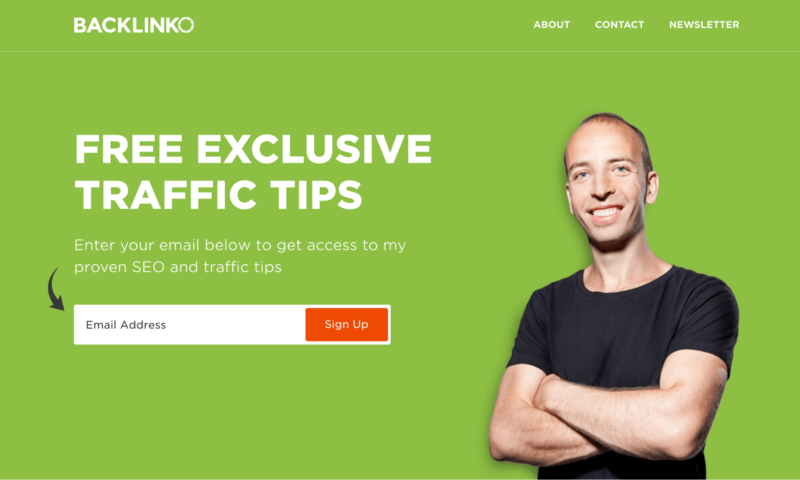
Backlinko

This is a great example of a business that’s focused really heavily on generating traffic, turning that traffic into email subscribers, then monetizing via a few infoproduct launches per year. It can seem magical to have a business with ridiculous profit margins at this stage. Most of us would love to have a $1 million per year business with a super small team and a handful of moving pieces.

James Dahle — White Coat Investor

Revenue = Over $1 million per year

James used to publish his annual revenue in his annual state of the blog posts but stopped as his blog became more well known. Here’s his 2019 state of the blog. His last reported income was $187,862 in 2014. He does mention multiple times that he’s now running a seven-figure business, so his current revenue is at least $1 million per year.

He does have a book by the same name. Looking through his site, the majority of his revenue comes from affiliates, ads, and sponsorships.

His email list is extremely small for the size of his blog — it’s only 21,725 subscribers. And with a small email list, any infoproduct launch is going to be limited to five figures. He does have an infoproduct on creating your own financial plan for $499. If he focused on conversion to email and got good at infoproducts, he could add another $1–2 million in revenue to his business.

Tim Ferriss — tim.blog

Revenue = My guess is about $10 million per year

Tim has a massive blog that’s been around for a long time. He started it before he even launched his first book, The 4 Hour Workweek.

Currently, I assume that the majority of Tim’s income comes from his podcast sponsorships. I have seen ads on his blog in the past but it doesn’t look like there are any right now. I don’t think he’s ever done an infoproduct or pursued affiliate ads aggressively.

According to this form, his podcast sponsorships go for $36K per slot. At 4–5 slots per episode, that’s $144,000 per episode at least. Tim averages about six podcasts per month, which would produce $864,000 per month or $10,368,000 per year.

The reason I’m not going to even guess is that I don’t have any experience buying or selling podcast sponsorships which I assume are his main source of income right now. Also, sites with Tim’s reach tend to start breaking standard revenue rules. Having one of the largest and highest-rated podcasts can give you a lot of leverage, allowing you to charge more than normal on each sponsorship slot.

Otherwise, Tim has used his blog to promote his books heavily over the years. They include The 4-Hour Workweek, The 4-Hour Body, The 4-Hour Chef, Tools of Titans, and Tribe of Mentors.

Timothy Sykes — timothysykes.com

Revenue = Over $25 million per year

Timothy has been around for a while now, predominantly selling infoproducts on how to invest in penny stocks. According to this interview with Nathan Latka, Timothy was on track to do $25–27 million in revenue in 2016, $20 million of which came from infoproducts.

Timothy Sykes Blog

Timothy is a great person to follow if you want to see how an infoproduct business looks at scale.

Josh Axe — Dr. Axe

Revenue = Did $11 million per year in 2015, could be as high as $50–70 million per year now

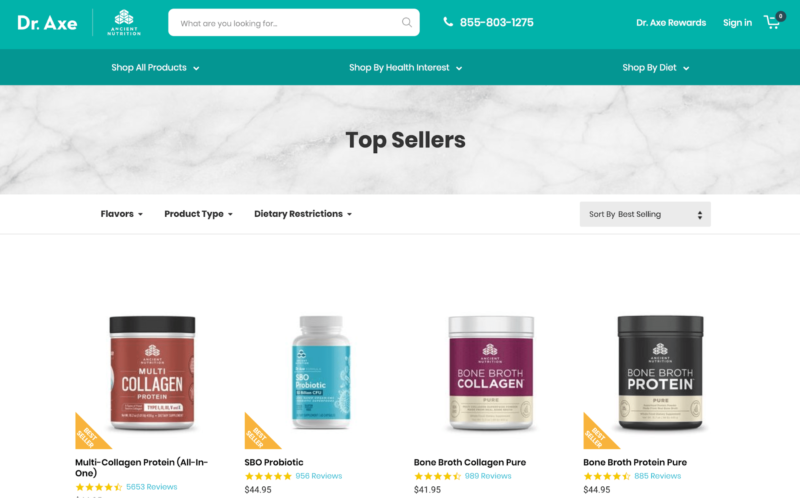
Dr. Axe is a massive site with a huge audience. According to this press release, it has 17 million visitors per month, which is insane. They also push products pretty hard via their email list. It’s obvious that they know what they’re doing. Their revenue is a mix of infoproducts, affiliates, and supplements.

Supplements are a great category with nice margins. I only have a little experience in the health and fitness category but the advice I always get from the health and fitness experts is to go hard on supplements.

Dr Axe

I did hear that they have a solid paid marketing engine going for their funnels. If that’s true, they could be doing easily $50–70 million per year by now.

I consider Dr. Axe to be a great example of what a health and fitness blog looks like when taken to its absolute height. If you’re considering a health and fitness blog, I’d study Dr. Axe closely

Peter Adeney — Mr. Money Mustache

Revenue = About $400,000 per year

According to this article from the New Yorker, Peter pulled in about $400,000 per year as of 2016. Ahrefs reports that Peter’s traffic has been static since the 2016 period. If that’s true, I would expect his current revenue to be around $400,000. Sounds like the majority of the revenue, possibly even all of it, comes from affiliates.

AJ Harbinger and Johnny Dzubak — Art of Charm

Revenue = My guess is $5–10 million per year

Jordan Harbinger didn’t reveal exact revenue but did say that it’s multiple seven figures per year. Based on the fact that the revenue is mostly infoproducts and the overall size of the audience, my guess is that Art of Charm does $5–10 million per year in revenue.

In 2018, Jordan Harbinger split from the Art of Charm and started his own podcast.

Pat Flynn — Smart Passive Income

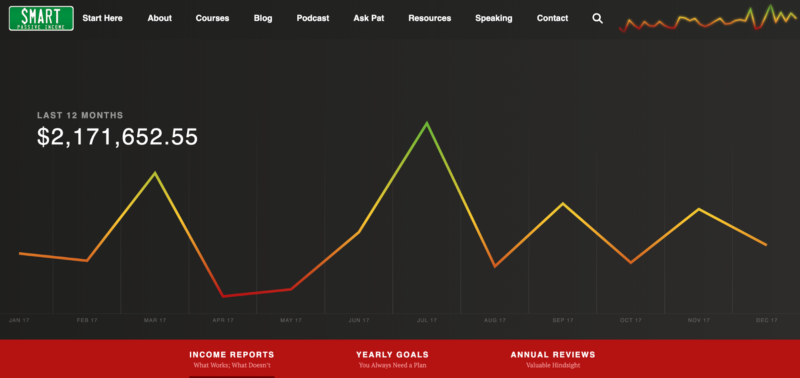
Revenue = $2,171,652 per year

Pat Flynn posts all his income reports here, going back all the way to 2008.

Not sure if Pat decided to stop but it doesn’t look like he’s posted any new income reports since 2017. Regardless, I highly recommend reading through the first few years of income reports from Pat. That’ll give you a strong sense of what it takes to start making money with a blog.

Smart Passive Income

The majority of Pat’s revenue comes from affiliate offers and his own infoproducts, about 50/50 between the two. He also has a few books published, How to Be Better at Almost Everything and Will it Fly? Other than the months he received the advance from the publisher, I bet these books have a negligible direct impact on revenue.

John Lee Dumas — Entrepreneur on Fire

Revenue = $2,029,744 per year

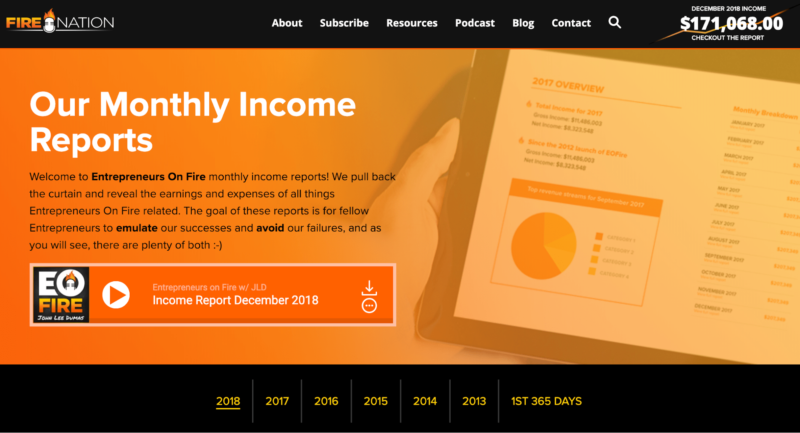
No one really needs to guess at John Lee Dumas’ revenue, he posts monthly income reports directly to his site.

Entrepeneur On Fire
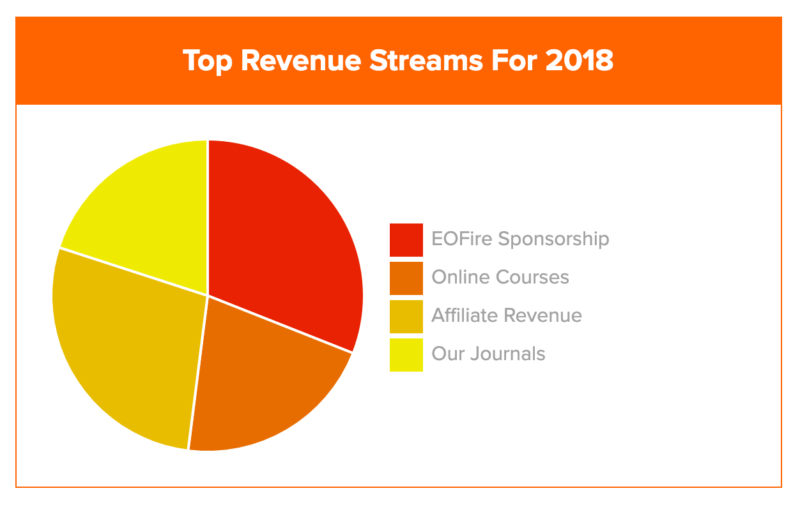
He also put together a nifty revenue breakdown by source:

Top Revenue Streams

Sponsorships are slightly larger than everything else. Otherwise, it’s a pretty even split between infoproducts, affiliates, and his journals (The Freedom Journal, The Mastery Journal, and The Podcast Journal).

To get a sense of how blogs really make money, I highly recommend you read through the monthly income reports from the last 12 months for Entrepreneur on Fire. You’ll get an excellent feel for what a seven-figure blog looks like. I also recommend you read through the income reports from 2012 and 2013, which will show you what revenue looks like at the beginning and how it changes over time on the path to $1 million per year.

Navid Moazzez — navidmoazzez.com

Revenue = My guess is $300–500K per year

Navid is in the online marketing space and offers infoproducts on virtual summits. According to his About page, he’s earned over $1 million dollars in “a few years.” Safe to say he’s easily doing six figures off his blog. Hence my guess above.

Tim Urban — Wait But Why

Revenue = At least $100,000, possibly $1+ million per year

Tim Urban got crazy popular and his blog posts were being shared all over the place for a while.

This is probably an example of what most people dream of when they start a blog. They plan to write a bunch of stuff, a rabid fan base will appear out of nowhere, they’ll offer some t-shirts, posters, and a Patreon account to make tons of passive income. They’ll finish by riding into the sunset of eternal blogging glory.

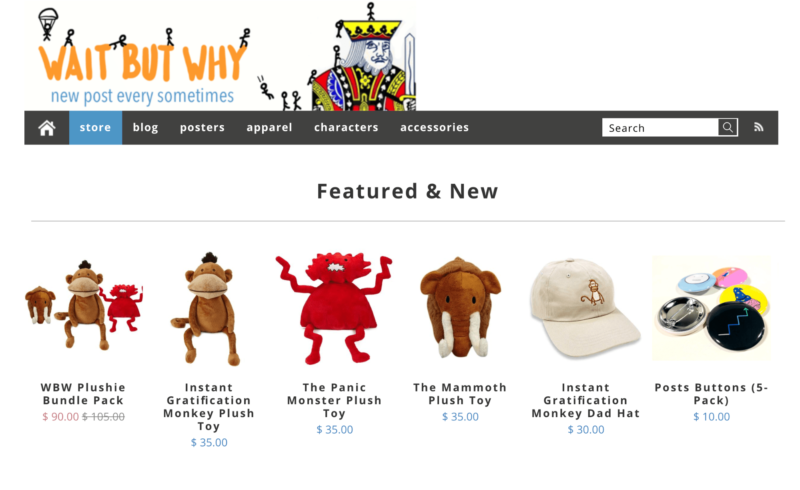
Wait But Why Blog

For Tim Urban, that’s basically what happened. And he absolutely deserves it. His content is phenomenal. It’s so good that people have been angry because he hasn’t posted in a while. Very few of us can write content that good. I can promise you no one gets upset when I stop blogging. So for us mortals, we should look to some of the other examples on this list for how to monetize our blogs.

I know that I gave a really broad range on the revenue here. Blogs like this are really tough to guess. Tim clearly has a massive, adoring audience. That doesn’t necessarily mean he’s swimming in gold. Although he might be. Blogs with massive audiences like this sometimes make a ton of money, and sometimes they make very little. It also looks like his main source of revenue is his ecommerce store. Unlike consulting, speaking, infoproducts, or affiliates, the margins on ecommerce products are much smaller. It’s entirely possible that he’s making a ton of top-line revenue but only enough profit to live a decent lifestyle.

That’s pretty common with ecommerce entrepreneurs. They claim that they’re making millions of dollars with their business but only take home $50–100K per year. Once you factor in the costs of goods sold and overhead, there isn’t a ton leftover. I have no idea if Tim Urban falls into this bucket. I simply don’t know.

Noah Kagan — OkDork, Sumo, and AppSumo

Revenue: $10M last year and growing

Noah’s business is based around four complementary sites:   

  • Sumo.com: Free marketing tools to grow your business
  • AppSumo: Groupon for geeks
  • KingSumo: Giveaway web app or WordPress plugin
  • BriefcaseHQ: Netflix for business software

This system of related businesses is one of his tips for growing a successful business. He thinks of these businesses like a pyramid — KingSumo helps grow your business with giveaways, Sumo (which is the core product) arms those businesses with the tools they need for marketing, and BriefcaseHQ and AppSumo provide the rest of the tools. Creating a system of interlocking tools means you don’t need to find new customers; you can simply market to the customers you already have.

This reminds me of Target adding in groceries. They increased their revenue by asking, What are our existing customers buying that they aren’t buying from us? What do they need that I could sell them?

Noah has an even better analogy: it’s like buying another book from an author you already love. If you love a book an author’s written, of course, you’re going to but their next book and their next book.

He’s also got a lot of thoughts on setting the right pricing structure, leveraging recurring revenue, and bundling that’s all worth studying as well.

Shane Parrish — Farnam Street

Revenue: It’s all been reinvested into the business, plus speaker fees

Shane started his blog to track his own personal learning and development — he didn’t have any grand ambitions for the project, and the original URL, 68131.blogger.com, shows it. Today his newsletter has 200,000 subscribers and Farnam Street gets 1M pageviews a month.

How does he make money? Well, “earn money” vs. “make money” is a good distinction here. Shane says he’s reinvested most of the money back into the business, “In 2014, I think we actually lost money. In 2015, we didn’t lose money, which was good. … I will say that I’ve never actually personally made a penny off Farnam Street. It’s all been reinvested back into content, experience, trying new things, and that’s the way that hopefully I foresee the future.”

He makes money in a variety of ways: he first paid his expenses with Amazon affiliate links, then in 2014 he started his first 9-month partnership deal, newsletter sponsorships, conferences, speaker fees, infoproducts, a podcast, a forthcoming book, and a membership plan for his site that you can choose what you pay, currently either $149 or $249. His model is based on providing free content to many and creating a base of super fans who’ll pay for more of that content, subsidize the free content to give back, and gain access to even more: a book club, a discussion group, and private Ask Me Anythings. If 5% of his 200,000 newsletter subscribers convert (that’d be 10,000 members), and each of them signed up at the $149 level, that’d be $1.5M a year. 

Shane regularly turns down speaking engagements for $20,000 because it’s not how he wants to make money, and he doesn’t optimize his in-person workshops for revenue. He’s always asking what’s in the best interest of the business. That means the bulk of the revenue comes from memberships.

I agree with his advice: “The audience will grow if you put out good content.” And, “I know how easy it is for people to copy our content and even our business model. So that drives a lot of what we do. We want to do things that are hard to copy and that means we can’t cherry-pick what’s easy, because there is a lot of competition in easy.”

Ready to build a blog that makes money?

I know the list above is full of people making serious money.

Here’s the crazy part.

For every blogger making a million dollars, there are thousands that make enough money to quit their job and work on their blog full time.

The list is too long to keep track of — I wouldn’t be able to put it together.

It is absolutely reasonable to start a blog with the goal of quitting your job and being your own boss. So many people have already done it you’d be walking a well-traveled path at this point.

I also believe that there’s still a ton of opportunity to be made blogging. I see new up-and-coming bloggers every year. It’s still possible to start a blog today and have it support you. I put together a 12-step guide on how to start a blog here. It’ll walk you through the whole process.


from Quick Sprout https://ift.tt/2GRkpEw
via IFTTT

Best Video Conferencing Services

Want to jump straight to the answer? The best video conferencing service for most people is definitely RingCentral or GoToMeeting.

More than ever today, I consider a great video conferencing service to be critical for any business. Whether you have remote employees, clients, prospects, or team members across multiple locations, you need video conferencing software that you can depend on.

Tools like Skype or Facetime aren’t robust enough for companies. They lag too often, can’t handle groups well, and are a pain when setting up meetings.

If you’re ready to take your conference calls to the next level with video, you need to read this guide.

I’ve already done all the research and heavy-lifting to help you choose the best video conferencing service for your business. Regardless of your company size, industry, or conferencing needs, there’s definitely an option for you below.

The 8 Best Video Conferencing Services

Of the dozens of options available, there are really only eight solutions I would recommend to a business owner. In no particular order, those are:

  • RingCentral
  • GoToMeeting
  • ClickMeeting
  • Zoho Meeting
  • Zoom
  • Microsoft Teams
  • Join.me
  • Webex

As I said, these video conferencing services are in no particular order and all have their pros and cons. Use the in-depth reviews below to compare them.

RingCentral

Free up to 100 participants
Video, screen share, & messaging
VoIP phone service plans
Small to enterprise solutions
Get Started for Free

RingCentral is more than just a video conferencing platform. It’s also a VoIP business phone service.

With RingCentral, you can ditch your traditional business phone plan for a truly modern solution. If you have the phone plan, you’ll get video conferencing features as an added bonus.

But you can always purchase RingCentral Meetings as a standalone product. For the purpose of this review, those are the plans that we’ll focus on.

Free — $0 per month

  • Up to 100 participants
  • Unlimited one on one meetings
  • 40-minute limit on group meetings

Essentials — $14.99 per month per user

  • Up to 100 participants
  • Unlimited group meetings
  • 24/7 phone support
  • 1,000 call minutes per license

Advanced — $19.99 per month per user

  • Up to 100 participants
  • 2,500 call minutes
  • Real-time usage dashboard
  • SLA available

The free plan is actually pretty decent if you compare it to others on the list. While you’re capped at 40 minutes per meeting, you can still have up to 100 participants.

At the same time, the paid plans are also limited to just 100 participants, which is low compared to the competition. However, you can add-on larger meeting options to your plan for an upcharge.

RingCentral also has great enterprise solutions. You’ll need to contact their sales team to get a custom quote. But you can save some money by bundling RingCentral Meetings with a VoIP business phone.


GoToMeeting

Free 14-day trial
HD video conferencing
No time limits for meetings
Mobile app and Slack integration
Get Started for Free

GoToMeeting is a top choice for video conferencing and conference room capabilities. The platform makes it easy for you to turn any video conference into a highly collaborative workspace.

This is one of the top video conferencing solutions for accommodating both remote workers and clients alike.

Another top benefit of GoToMeeting is its ability to integrate with the systems your business is currently using. It’s used by sales managers, business owners, and IT teams as well.

GoToMeeting also offers an all-in-one hardware and software kit for those of you who want to transform your physical conference room into a digital one. This hardware is more advanced than the built-in cameras, microphones, and speakers on your current devices.

Some other top features and benefits of using GoToMeeting for video conferencing include:

  • Cloud collaboration
  • Automatic bandwidth adjustments
  • Available on Mac, PC, iOS, and Android
  • Single-click start and join sessions
  • Multi-channel support
  • Integrated scheduling

Unlike the other platforms that we’ve reviewed so far, GoToMeeting has just two plans for you to choose from:

  • Professional — $14 per month
  • Business — $19 per month

The plans are very similar. GoToMeeting offers unlimited meetings and unlimited meeting durations with both options. You’ll also benefit from things like Salesforce integration, Slack meeting launcher, and an admin center with each.

The biggest difference between Professional and Business is that they can host up to 150 and 250 participants, respectively.

In addition to more participants, the Business plan gives you access to transcripts, keyboard and mouse sharing, unlimited cloud storage, and mobile cloud recording.

I think it’s a no-brainer to sign up for the Business option instead of Professional. The added benefits are worth the extra $5 per month.

GoToMeeting does offer enterprise-grade plans for up to 3,000 participants. But those prices aren’t available online. You’ll need to speak to a sales rep for a custom quote.

Save 16% on your GoToMeeting plan with an annual contract.

You can try GoToMeeting for free with up to 250 participants for 14 days.


ClickMeeting

Free 30-day trial
Best for webinars
Up to 1,000 attendees
Enterprise solutions available
Get Started for Free

ClickMeeting is a bit different compared to some of the other video conferencing services that we’ve reviewed. This platform has a specific standout—webinars.

It’s a great option for those of you who want to hold large online events, market your products with video demonstrations, and host online courses or training sessions with live video.

Of course, ClickMeeting does offer traditional video conferencing solutions for team meetings and business collaboration, but that’s all you need then I’d probably lean towards another option on our list.

Pricing for ClickMeeting is complicated. There are two plans, but the prices are based on how many webinar attendees you want to have.

Here’s an overview of those price points per month for each plan:

Live

  • Up to 25 — $30
  • Up to 50 — $45
  • Up to 100 — $79
  • Up to 200 — $149
  • Up to 500 — $179
  • Up to 1,000 — $309

Automated

  • Up to 25 — $45
  • Up to 50 — $55
  • Up to 100 — $95
  • Up to 200 — $179
  • Up to 500 — $229
  • Up to 1,000 — $359

For video conferences with more than 1,000 attendees, contact the ClickMeeting sales team for a custom enterprise solution.

You can try ClickMeeting free for 30 days and run webinars with up to 25 attendees to try it out. Save up to 20% off your with annual billing instead of a month-to-month contract.

The Automated plan is your best option for broadcasting professional video webinars. This plan comes with advanced features like auto-streaming to Facebook or YouTube, automated follow-up emails to attendees, Google Analytics integration, and certificates of attendance.

As you can see, ClickMeeting is definitely pricey compared to the other options on our list, which is why I wouldn’t recommend it for just basic video conferencing use. But the price is worth it if you’re planning to use the webinar features.


Zoho Meeting

Plans as low as $8/month
Screen sharing
Moderator controls
Integrates with Zoho CRM
Get Started for Free

Zoho Meeting is arguably the most straightforward video conferencing solution on the market today. Instead of overwhelming you with different features and pricing options, there is just one plan for video meetings.

Pricing is simple; it’s $10 per month per user, or $8 per month for an annual contract.

The plan comes with everything you need in a video conferencing service. However, it’s limited to just 100 participants per meeting and storage of up to 10 recordings.

This isn’t enterprise-grade software by any stretch of the imagination, but it’s an affordable and suitable choice for lots of small business owners.

Some of Zoho’s top features include:

  • RSVP scheduling
  • Screen sharing
  • Moderator controls
  • Embed meeting links
  • In-session chat
  • Lock meetings

You’ll also have the ability to switch a presenter, give someone control, and remove users from a video conference.

As expected, Zoho Meeting integrates seamlessly with Zoho CRM. So if you’re already using a Zoho product, this will be a top option for you to consider.

While Zoho Meeting isn’t the most extensive video conferencing service out there, it’s a high-quality solution for small business owners who just need basic features.


Zoom

Free up to 100 participants
Pro plan starts at $14.99/mo
HD video conferences
Cloud recording features
Get Started for Free

Since launching in 2011, Zoom has quickly become an industry leader in the video conferencing space. The software is trusted by large businesses like Ticketmaster, Uber, Pandora, and GoDaddy, to name a few.

I like Zoom because of its simplicity and versatility. They have a plan for businesses of all shapes and sizes, including a free option.

Zoom has video conferencing capabilities with up to 1,000 participants, and up to 49 videos on the screen simultaneously.

The platform is secure, with role-based user security options, password protection, and waiting rooms. Zoom makes it easy for your team to collaborate with screen sharing, filing sharing, and other interactive features.

Zoom is modern, so naturally, the service can be accessed from a mobile app as well. This is perfect for participants who are on the go and unable to reach a computer for a meeting.

Here’s an overview of Zoom’s pricing model:

Basic — Free

  • Unlimited one on one meetings
  • Up to 100 participants
  • 40 minute limit on group meetings
  • Unlimited number of meetings

Pro — $14.99 per month per host

  • All basic features
  • 24-hour meeting limit
  • User management tools
  • Admin feature controls
  • Reporting tools
  • 1 GB of cloud recording

Business — $19.99 per month per host

  • All Pro features
  • Minimum 10 hosts
  • Up to 300 participants
  • Dedicated phone support
  • Company branding
  • Cloud recording transcripts
  • Admin dashboard

Enterprise — $19.99 per month per host

  • All Business features
  • Minimum 50 hosts
  • Up to 1,000 participants
  • Unlimited cloud storage
  • Dedicated customer support manager
  • Executive business reviews
  • Bundle discounts available for Zoom Rooms and webinars

As you can see, there is a plan for everyone. The free option is an excellent choice for an entrepreneur or freelancer who only needs to video chat once in a while for brief meetings.

Beyond personal use, you’ll need to upgrade to the Pro or Business plans to get the most out of Zoom. Fortunately, Zoom makes it easy for you to scale to another plan as your company grows.

Just be aware that your plan will impact the level of customer support you receive. To get premium support, you’ll need to upgrade.


Microsoft Teams

Free entry level plan
Premium plan starts at $12.50/mo
Chat, audio, and video capabilities
Best for 1-on-1 meetings
Compare Quotes

Teams is an instant messaging service with video capability, offered by Microsoft. The platform is designed specifically for internal communication in the workplace.

With chat, audio, and video capabilities for group sizes of 10 or 10,000, Teams is the ultimate in-house communication solution.

Slack is a direct competitor of Teams. But Teams shines with its superior technology and video conferencing features. However, the setup, usage, and onboarding are a bit more complex. So just be aware of that ahead of time.

Teams is best when it’s accessed from a desktop device or web app. There is a mobile app, but overall the web version is easier to navigate.

Here’s a quick overview of the plans and pricing:

  • Microsoft Teams — Free
  • Office 365 Business Premium — $12.50 per user per month
  • Office 365 E3 — $20 per user per month

Both paid plans are only available with an annual contract. The Free plan and entry-level paid plan both have a limit of 300 users, while the Office 365 E3 option is unlimited.

You’ll still have access to quite a few features with the free version, including video calls. But you’ll need Office 365 Business Premium to get the most out of this software.

Paid plans have 140+ app integrations, 1 TB of storage, scheduled meetings, meeting recordings, and administrative support.

The biggest downside of Teams is that it’s limited. It’s not really a true video conferencing service. Instead, it’s better for one-on-one video meetings or smaller groups.

If you want to host large-scale video conferences and make presentations to clients, you should look elsewhere for a more suitable solution.


Join.me

Voice plans start at $10/month
Video plans start at $20/month
No time limits
Unlimited meetings
Compare Quotes

Millions of people use Join.me for video conferencing. The platform offers solutions for individuals, teams, and businesses. From startups to Fortune 500 companies, Join.me is a popular choice.

The website boasts its best-known customers like like TOMS, Foursquare, OpenTable, and Pinterest.

Join.me is easy. The signup process is as quick as it gets. There’s no need to consult with a sales representative or get a custom quote. Just visit their website, and you can start a call in minutes.

To start a new video conference, simply invite others to “join” your meeting (hence the name). You can invite people via email or with a custom link.

With Join.me, you can customize the video conferencing background, customize the URL, and share your screen with just one click. You can invite people to your meeting even if they aren’t already using the Join.me platform.

Here’s an overview of the plans and pricing options:

Lite — $10 per month per user

  • Up to 5 participants per meeting
  • No video streams*
  • Unlimited meetings
  • No time limits
  • Personal link and custom background

Pro — $20 per month per user

  • Up to 250 participants per meeting
  • Up to 10 video streams
  • Recording capabilities
  • 50 GB of cloud storage
  • Meeting scheduling

Business — $30 per month per user

  • Up to 250 participants per meeting
  • 1 TB of cloud storage
  • Bulk user import
  • Feature permissions
  • Enterprise authentication
  • Salesforce integration

Unfortunately, the Lite plan doesn’t include video conferencing, so you can skip over that one. It’s also worth noting that all plans are offered with an annual contract only. Month-to-month plans are unavailable.

However, you can try Join.me free with a 14-day free trial. Compared to other options on the list, Join.me is a bit limited in terms of meeting participants and the number of video streams per meeting. But it’s a fine option for those of you who won’t need more than ten simultaneous video streams per conference.


Webex

Free up to 50 participants
Upgrade for as low as $16.95/mo
Unlimited meetings
Cloud storage features
Compare Quotes

Cisco is a brand name that’s synonymous with superior technology. So it should be no surprise that Cisco Webex ranks so highly on our list for video conferencing software.

With Webex, you can host massive virtual events with up to 100,000 participants and run an interactive webinar for 3,000-person audiences.

Webex is perfect if you need to run on-demand training lessons for large groups as well. This is a great tool for onboarding employees at scale throughout multiple locations.

The Webex mobile app is another standout feature of the platform. Hosting and joining meetings are both simple and accessible from anywhere.

Webex is built for teams. Arguably the best part about this video conferencing software is the cloud collaboration features. It’s easy to share files and screens with other meeting participants to stay organized and make the conference more interactive.

Cisco offers four different plans for you to choose from, including a basic free option.

Free — $0 per month

  • Up to 50 participants
  • 40 minute limit on meetings
  • Unlimited meetings
  • 1 GB of cloud storage

Starter — $16.95 per month per host

  • Up to 50 participants
  • Unlimited meeting duration
  • 5 GB of cloud storage
  • Recording transcriptions
  • User management
  • Application and file sharing

Plus — $22.95 per month per host

  • Up to 100 participants
  • Assign alternate hosts
  • Allow others to schedule meetings for the host
  • Customizable Webex URL
  • Admin portal
  • 24/7 customer support

Business — $32.95 per month per host

  • Up to 200 participants
  • 10 GB of cloud storage
  • Branding and custom options
  • Single sign-on
  • Active Directory sync
  • Minimum five licenses per month

At first glance, the Webex prices appear to be higher than Zoom. However, you can save 20% per month with an annual contract.

It’s also worth noting that the Webex Plus plan doesn’t have any host minimums, and the business plan has just a five license minimum. Zoom has a 10 and 50 host minimum for their plans at similar price points.

So Webex will be a better option if you want those business or enterprise-level features for a smaller team.


How to Find the Best Video Conferencing Services

Compare Quotes From The Best Video Conferencing Services

Get matched up with a video conferencing service that fits your specific needs.

Compare Quotes


Now that you’ve had a chance to review the top solutions on the market, how can you find the best option for your unique situation? This is the methodology that I used to come up with this guide.

I’ve identified each feature set that matters the most and why you need to take it into consideration when you’re evaluating prospective platforms.

Conference Size

Every video conferencing plan has some limit on the number of participants who can join a meeting. This can be as 25 or as high as 100,000.

Make sure you choose a service and plan that can accommodate the number of people you need for your video conferences. You don’t want to overpay for a plan that has participant limits that you’ll never reach. But more importantly, you don’t want to be in a situation where your participant list is too large for your platform and plan.

Video Streams

You might be able to have a large number of participants in a conference, but that doesn’t necessarily mean that every user will be able to broadcast a video stream.

For example, RingCentral plans have up to 100 participants per meeting, but limit you to just ten simultaneous video streams.

So don’t be swayed by the participant limits alone. Always check to see how many users can actually stream a video at the same time.

Collaboration Tools

Collaboration tools are crucial for groups and teams.

Features like screen sharing, built-in chat, file sharing, and cloud collaboration are very useful for presentations and group projects. It’s also helpful when a video conferencing service integrates with existing tools and platforms that you’re already using to run a business. You can look for features like Salesforce integration or Google Analytics integration.

Price

Obviously, the cost will play a roll in your decision-making process.

For the most part, video conferencing services are billed on a monthly basis per user. Prices typically fall in the $10 to $40 range per month per user for traditional video conferencing. However, you can pay significantly more than that for advanced features like video conference webinars. Solutions like ClickMeeting has plans starting at over $300 per month.

Conclusion

Take your virtual meetings to the next level with video conferencing software.

What’s the best video conference service on the market? The answer depends on who you ask and what you’re looking for. Here’s a quick recap of the platforms reviewed above.

  • RingCentral — Best video conferencing service with VoIP business phone plans.
  • GoToMeeting — Best video conferencing service for small businesses.
  • ClickMeeting — Best video conferencing software for webinars.
  • Zoom — Best video conferencing service for scalability.
  • Microsoft Teams — Best video conferencing software for internal communication.
  • Zoho Meeting — Affordable video conferencing service with basic features.
  • Join.me — Annual contract video conferencing plans for small meetings.
  • Webex — Best video conferencing software for cloud collaboration.

Based on this guide, I’m confident that you can find the best choice for your business. No matter how unique your situation might be, these options can accommodate your needs. If you are still not sure which one is right for you then complete the short form below to compare the best solutions further.

Compare Quotes From The Best Video Conferencing Services

Get matched up with a video conferencing service that fits your specific needs.

Compare Quotes


from Quick Sprout https://ift.tt/363MqlY
via IFTTT

1 Smart Approach to Being a Professional Blogger

The more you give the more you get. This is the basic law of blogging. This is the basic law of life. Most of you know this. But for odd reasons, most bloggers do not understand how embodying this quality simply reflects your results back to you. Think about it. Most bloggers feel confused about […]


from Blogging Tips https://ift.tt/3drhWOz
via IFTTT

Launch Your Own Video on Demand Service with Uscreen

You don’t need to be a Netflix, Disney or Hulu to launch your own video streaming service. You also don’t have to be at the complete mercy of an ominous algorithm over which you have no real level of control or predictability. Instead, what you need is Uscreen if you want to take your video […]


from Blogging Tips https://ift.tt/2Aw58Yu
via IFTTT